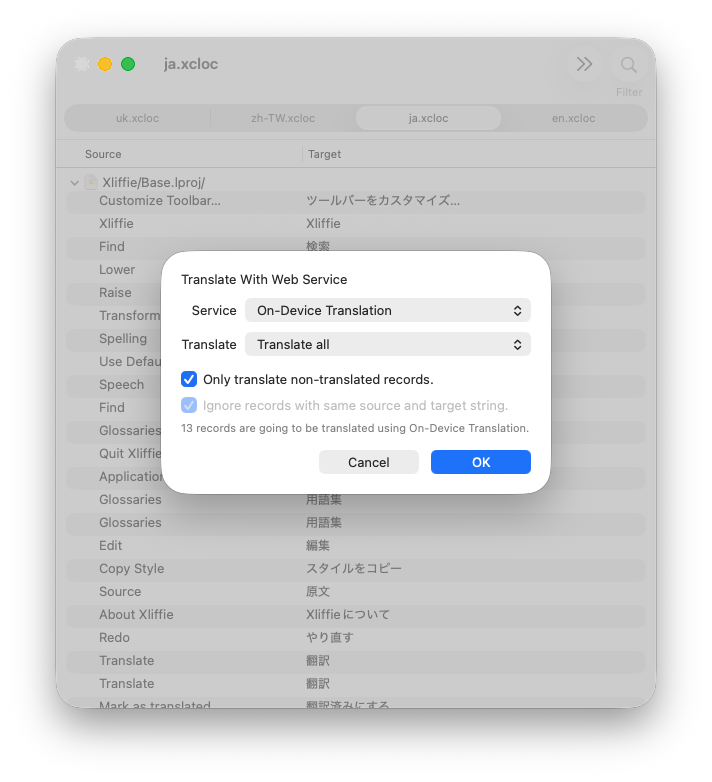
Xliffie 2.4 is released with on-device translation!
You can select On-Device Translate as the source (which would be the default if you machine supports it), and it would prompt you to download some system langauge packs if needed.
Years after Xliffie and Swift are released, I am finally introducing Swift into the project, partly due to necessity.
I have been stuck with Objective-C for a long time, probably longer than many people would, mostly because of my experiences with Swift were not particularly enjoyable. I tried using the language since it was out – I was there when it was announced, however, lots of promises were not delievered, and I am sure many Swift developers would agree with me, that the compiler crashed frequently in early versions. Some of the problems were fixible, some were more architectural. It was an ambitious project that sometimes, if you use certain functions together, fails to deliever. I wasn’t comfortable writing code that sometimes break, not because of my fault, but rather with error like this
error: the compiler is unable to type-check this expression in reasonable time; try breaking up the expression into distinct sub-expressions
The community seemed to be much more encouraging than I was, people didn’t mind rewriting codes every major version update, new libraries are mostly in Swift nowadays, CocoaPods is now read-only in favour of Swift Package Manager – to be honest, I don’t know which is better. Most importantly, swift-only API finally starts to appear.
My app, Xliffie, is a Xliff file editor, which helps people translate their app. A useful function is automatic translation via 3rd-party API, such as Google Translate and DeepL. In recent version of macOS, Apple has added the ability to translate strings on-device, which was perfect for my app, except it was only accessible via SwiftUI. As seen in the introduction WWDC video, it seems to be designed for translating user-generated content in the UI, instead of documents. I don’t see why not though. A new API has been added to macOS 26.0 to initialise TranslationSession, but that only limits to installed source and target languages1, which means the user will need to have the Translation Languages installed in the setting app, who’s going to do that?
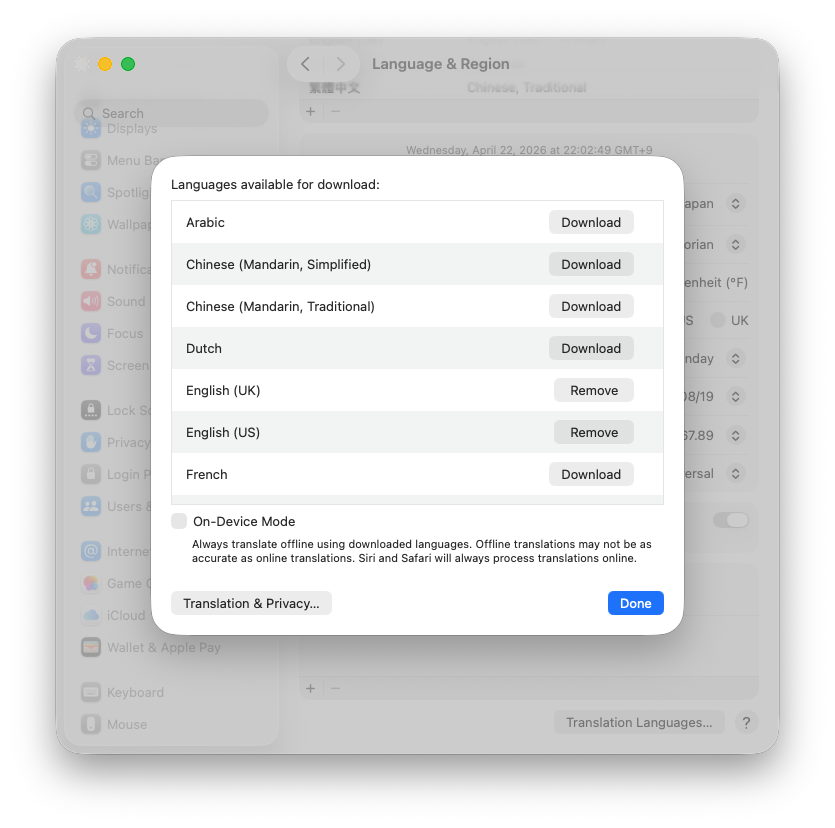
The limitation seems to be deliberate and intentional.
A session created using (SwiftUI’s)
.translationTask()can always request downloads, however when it’s created directly usinginit(installedSource:target:)it cannot request downloads. The system only throws an error when attempting to translate and the languages aren’t installed.2
There’s nothing I can do except from working around it.
Create a 0x0 transparent SwiftUI view, add it to the UI so it creates a useable TranslationSession.
struct TranslatorView: View {
    let configuration: TranslationSession.Configuration
    let onSession: (TranslationSession) async -> Void
    var body: some View {
        Color.clear.translationTask(configuration) { session in
            await onSession(session)
        }
    }
}

let view = TranslatorView(
    configuration: ...,
) { session in
    // request download
    session.prepareTranslation()
}
let hosting = NSHostingView(rootView: view)
// Must be attached to a window for SwiftUI lifecycle to run
hosting.frame = .zero
hostingView = hosting
self.view.addSubview(hosting)
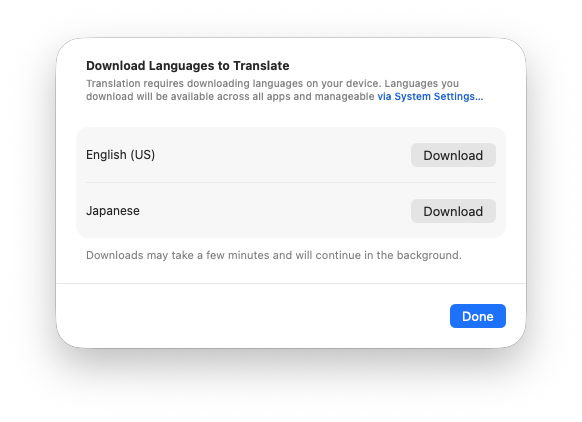
It was without doubt hacky, but I don’t see how can it otherwise be done. After all, I don’t think SwiftUI is ready for macOS as much as it is on iOS.
I’ve also migrated away from CocoaPods, replaced some old, unmaintained dependencies with either my own simple implementations or Swift alternatives. Swift really feels much better than it was, not sure if it’s because of Apple’s hardware getting really fast though.
If one or both of the languages aren’t installed on the device already, attempting to translate will throw errors